Connect Your Own Stream Server to Revue on Apple TV
Besides M3U playlists, Revue can connect to a live stream server that you run yourself. The server runs on your home network. It follows the public Revue Server Protocol and provides a list of live rooms and their HLS streams. Revue shows the list, plays the rooms, and shows danmaku (comments that scroll across the picture). Revue plays any live stream that the server can provide as HLS.
Revue doesn’t include a server program, and it doesn’t provide any live content. You decide what your server connects to and how. This guide covers the Revue side: when to use your own server, how to add it, and what to check when something goes wrong. To learn how to write the server, see the protocol.
When to use your own server
- You only have fixed stream addresses: an M3U playlist is enough, and you don’t need a server. See IPTV on Apple TV: Add Your M3U Playlist and EPG.
- The content changes: which rooms are live, how they are grouped, their covers and viewer counts. An M3U playlist can’t describe these. A server can tell Revue the current state at any time.
Revue shows each feature that the server provides, and hides the features it doesn’t provide. A server can provide:
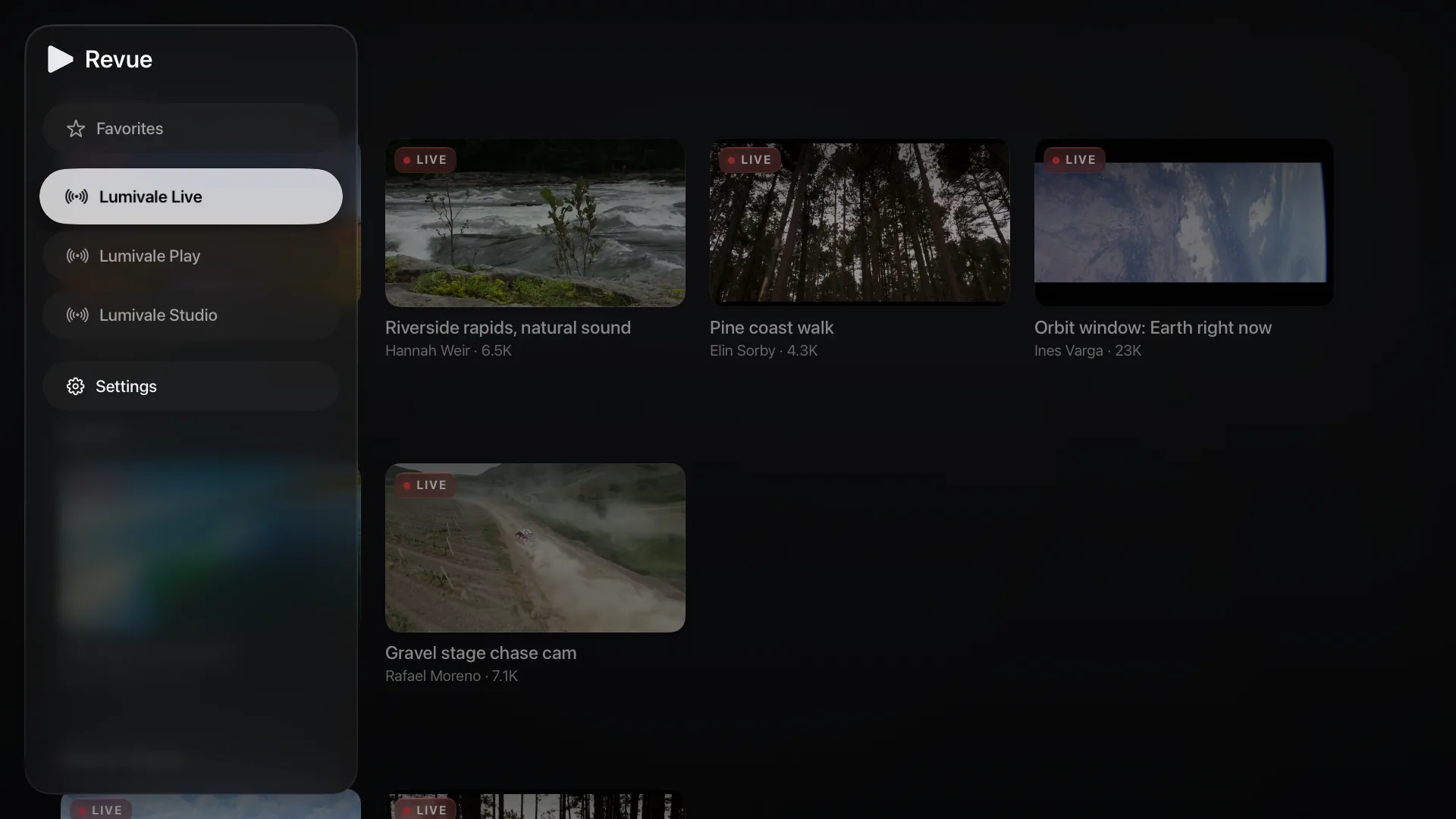
- Several sources. Each source gets its own item in the Revue sidebar.
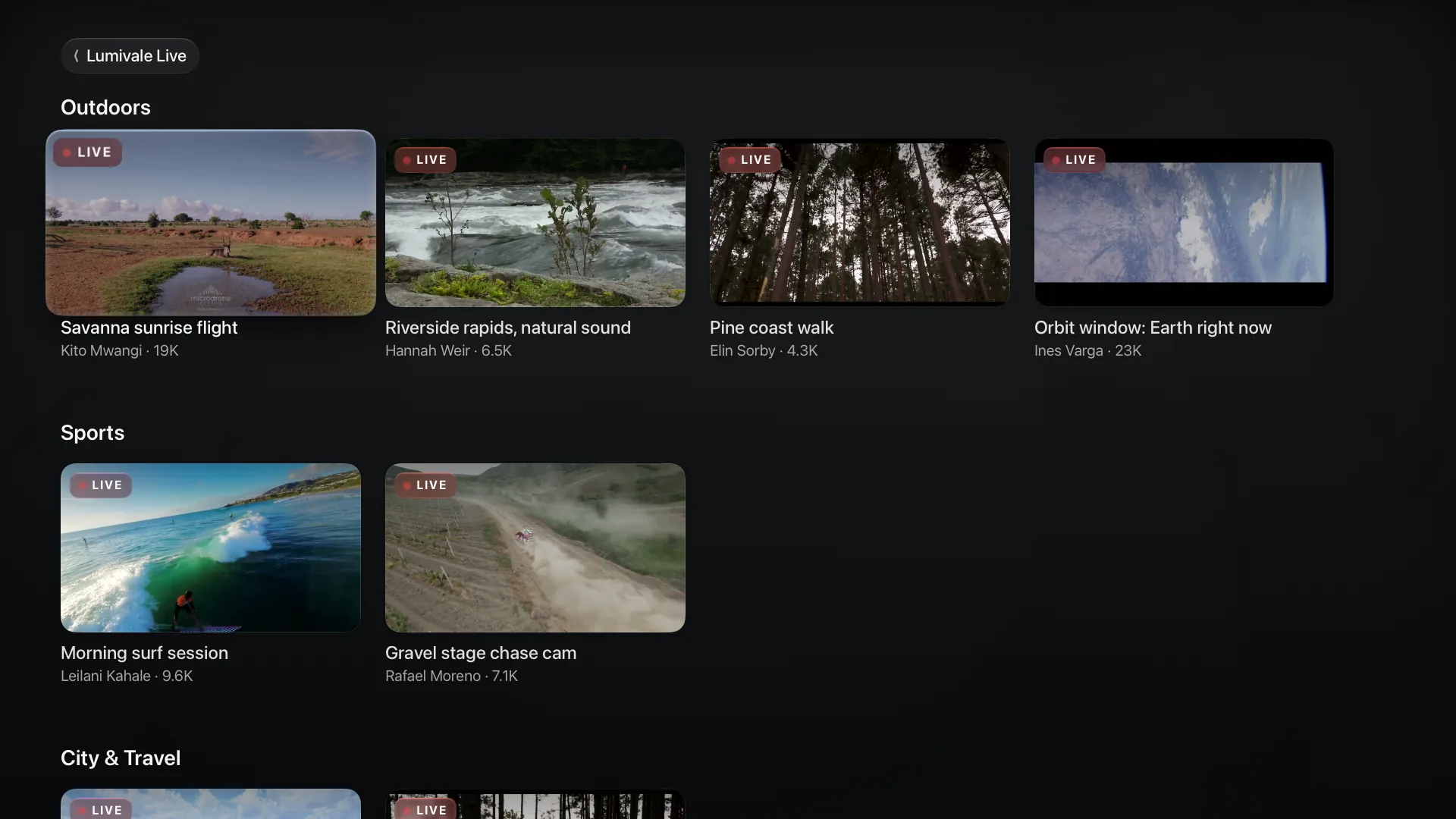
- Sections and rooms. The home page of a source shows its rooms in rows, one row for each section. Each room card shows a cover, a title, and the viewer count.
- Live status. When you open a room that isn’t live, Revue shows a status page, such as “Not live”. When the streamer returns, playback resumes automatically.
- Follow. Hold a room card, or use the player overlay, to follow or unfollow a room.
- Lines and qualities. Switch them in the player overlay.
- Danmaku. It is off by default. See Turn on danmaku.
Prepare the server
Copy this prompt and send it to an AI Coding Agent to write the server.
- Claude Code
- Codex
- Cursor
- GitHub Copilot
- Gemini CLI
Write a live stream server that follows the Revue Server Protocol.
Protocol (Markdown): https://revue.vastlogic.dev/docs/server-protocol.md
Streams to serve: (describe them here)
When done, go through the checklist in section 9 of the protocol.
- The server and the Apple TV must be on the same local network.
- To let Revue find the server on its own, advertise it with Bonjour. Section 2 of the protocol explains how. Without Bonjour, enter the address in Revue by hand.
Add the server in Revue
The first time you open Revue, tvOS asks whether Revue can access your local network. Allow it, so that Revue can find your server.
Automatic discovery
When Revue is open, it looks for compatible servers on your local network.
- If you haven’t added any server or M3U playlist yet, Revue uses the first compatible server it finds. The screen shows “Found local-network server …”.
- Otherwise, go to Settings › Live Sources. Under “Discovered on Local Network”, select the server to add it.
Enter the address by hand
- Go to Settings › Live Sources › Add Live Source.
- Select Address and enter the server address, such as
http://192.168.1.100:8787. If you leave outhttp://, Revue adds it. Revue has no default port, so include the port of your server. - Name is optional. If you leave it empty, Revue uses the host name from the address.
- Select Save.
When you save, Revue checks only the format of the address. It doesn’t check that it can connect.
After a new install, the list already has an item named “My Server” with no address. You can also hold it, select Edit, and enter the address there.
After you add the server
- Each source on the server gets its own item in the sidebar. Select a source there to see its rooms.
- A new server doesn’t become the current source, unless you had no sources before. Select it in Settings › Live Sources, or select one of its sources in the sidebar.
- Rooms you add to favorites appear on the Favorites page under “Live Streams”.
- When iCloud sync is on, your list of servers syncs to the other Apple TVs on the same iCloud account.
To delete a server, hold it in Settings › Live Sources, select Delete…, and confirm. You can’t delete the last server in the list. After you delete a server, its favorites turn gray and show “Source deleted”. They don’t come back if you add the same server again. When iCloud sync is on, the deletion syncs to all your Apple TVs.
Turn on danmaku
Danmaku is off by default. You can turn it on in two places:
- Settings › Danmaku › Show Danmaku. Here you can also change the display area, speed, text size, and opacity.
- While a room plays, press Right or select on the remote to open the overlay, then select the leftmost button.
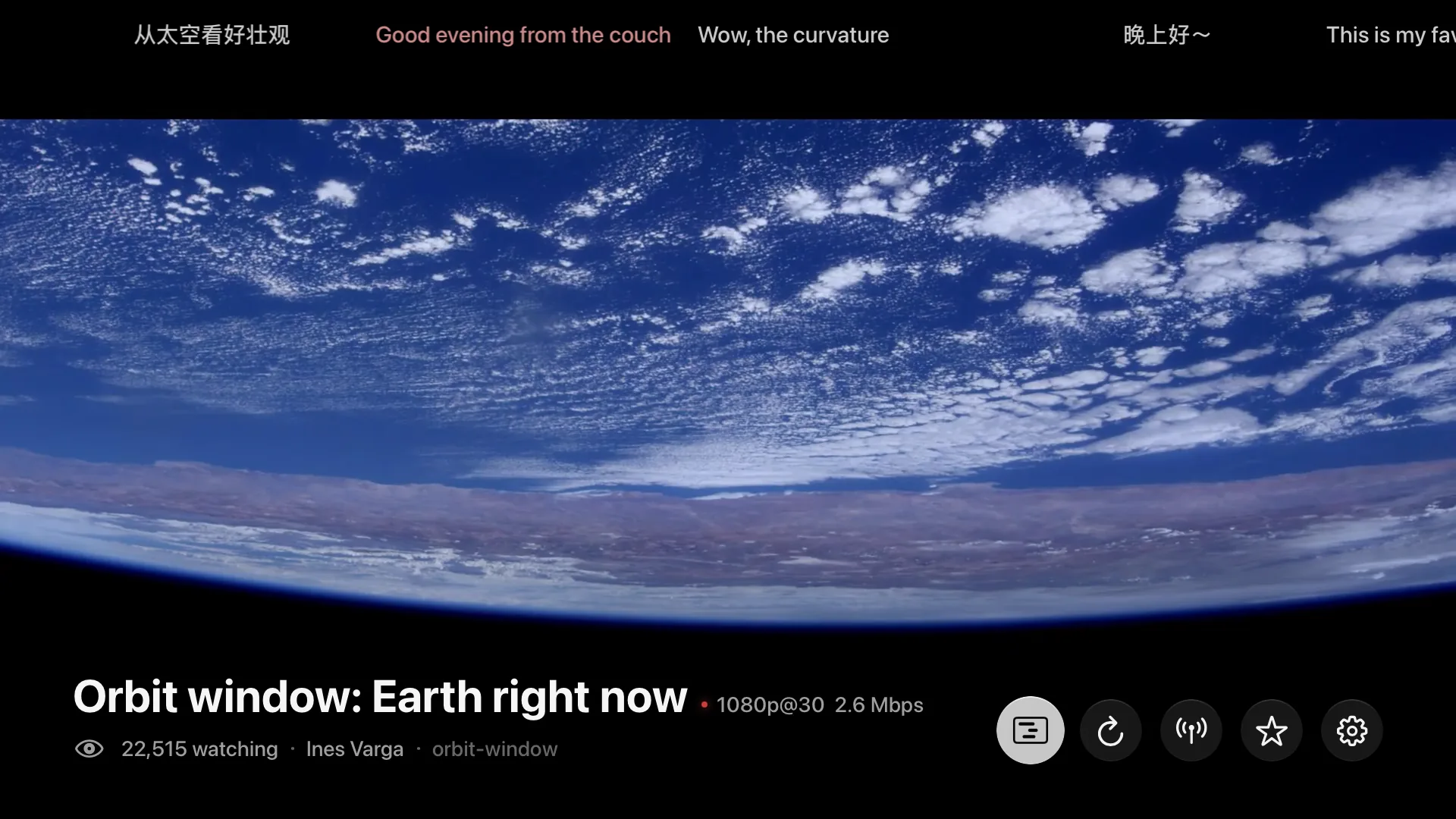
The player shows the danmaku buttons only when the server provides danmaku for that room. Danmaku comes only from your server. You can’t send danmaku from Revue.

Common questions
| What you see | Cause and fix |
|---|---|
| “No live sources found” on the home screen | Revue found no server and has no M3U playlist. Check that the server is running and is on the same local network as the Apple TV. If the server doesn’t advertise with Bonjour, enter its address by hand. |
| “…its protocol version (vX) is incompatible with this client (v4)” under “Discovered on Local Network” | The server advertises a version other than 4. Update the server to version 4 of the protocol. |
| “Source list not fetched yet” stays under the server | Revue can’t connect to the server, or the server’s /api/sources response doesn’t follow the protocol. On a computer on the same network, open the server address followed by /api/sources in a browser and look at the response. |
| “Couldn’t load the list” | The line below it gives the reason. “Incompatible server protocol version” means the server isn’t on version 4 yet. “Server returned HTTP …” means the server returned an error. In other cases, validate the server’s responses with the JSON Schemas in section 8 of the protocol: one field with the wrong type in one room makes the whole list fail. |
| “No rooms are live” | The server returned an empty list. |
| A status page such as “Not live” when you open a room | The server told Revue that this room isn’t live now. The server provides the status text. When the streamer returns, playback resumes automatically. |
| “Can’t play …” | The stream didn’t play. Select Try another line. The stream must be HLS that Apple TV can play. |
| A favorite shows “Source deleted” | Its server was deleted. These favorites can’t come back. After you add the server again, add them to favorites again. |
Your responsibilities
- Revue and Vast Logic don’t provide, host, or recommend any live sources. You decide what your server connects to. Revue isn’t involved.
- Use the server only for yourself, on your own local network. Don’t expose it to the internet, don’t let other people use it, and don’t use it commercially.
- Connect only content that you have the right to watch, and follow the terms of its source and copyright law.
- Revue doesn’t support DRM-protected content.